Cattails in the Snow
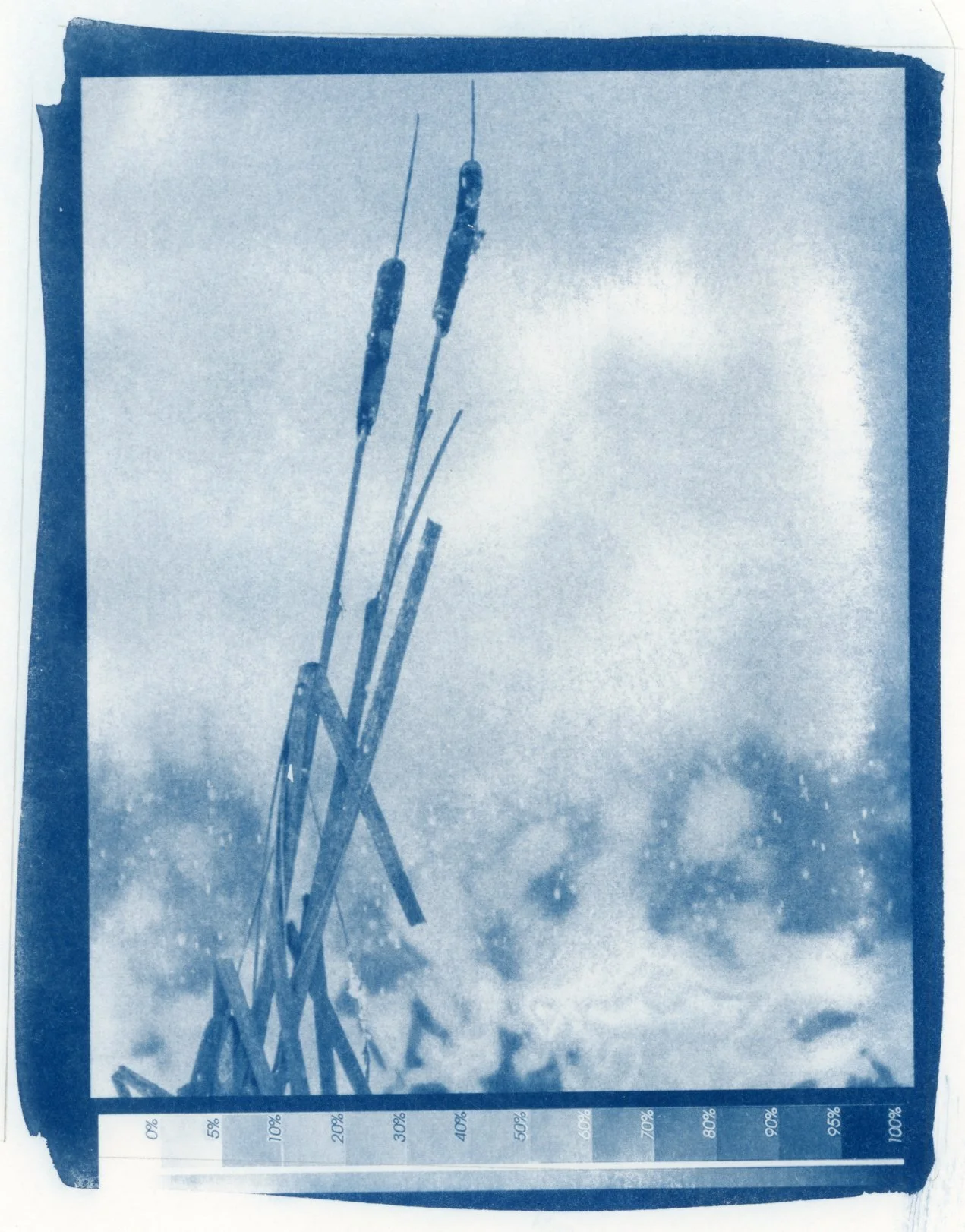
Cattails in the Snow
This cyanotype is the result of several days spent developing a new digital-negative workflow entirely within Lightroom.
I chose Lightroom because I wanted to keep the process as direct and repeatable as possible. My experience in software development taught me to minimize variables, and some of the established digital-negative systems felt more complicated than I wanted for my own practice. Lightroom is already where I organize, edit, and prepare my photographs, so printing the negative directly from the same environment keeps the process contained within a familiar workflow. There is no separate export, no additional printing application, and fewer places for settings to drift.
The challenge was that the current Epson P800 driver no longer includes the old “negative” option. I therefore needed a Lightroom tone curve that would both invert the image and compensate for the nonlinear response of the cyanotype process.
With the help of AI, I worked through a series of printed step wedges. Each cyanotype was scanned, compared with the original tonal scale, and used to refine the next version of the curve. The final result was a Lightroom preset that is easy to apply to any image in my Lightroom catalog.
After four curve revisions the process began producing the tonal separation I was looking for. Cattails in the Snow is the first complete image made with this Lightroom-based curve.
AI did not make the print. It served as an analytical tool to create the tone curve and produce a preset.
Next step is to develop a curve for Platinum-Palladium!